Seven steps before the actual work.
Purchase order amendments are one of the most common tasks in procurement. Something changes: quantity, price, delivery date, a new line item. And the buyer has to update the PO. In theory, straightforward. In practice, the existing flow assumed the user already knew everything: which PO to amend, where to find it, how the system organized contracts versus purchase orders, and which screens to navigate through.
The people using these tools are procurement specialists, and they know their contracts, their vendors, their budget codes cold. What they don't always know is that to amend a PO, they need to go to Manage, then Purchase Orders, then Search, then Open, then click Create Amendment, wait for the form, fill in the changes, and submit for approval. That's seven steps of system navigation before they even start doing the actual work.
Navigate to PO module, search for PO, open it, understand which fields to edit, fill the amendment form, submit, and hope you didn't miss anything. Requires system expertise and time.
Tell the AI what you need in plain language. It finds the PO, extracts the details, pre-fills the form, shows you what it changed and why, and lets you review before submitting.
Three users, three contexts, one conversation
The fundamental insight was that users don't come to this task the same way. Some know exactly which PO they want to amend. Some know the contract but not the PO. And some just know they need to change something but have no reference number to start with. Any solution had to handle all three gracefully, without forcing the user to figure out the system's taxonomy first.
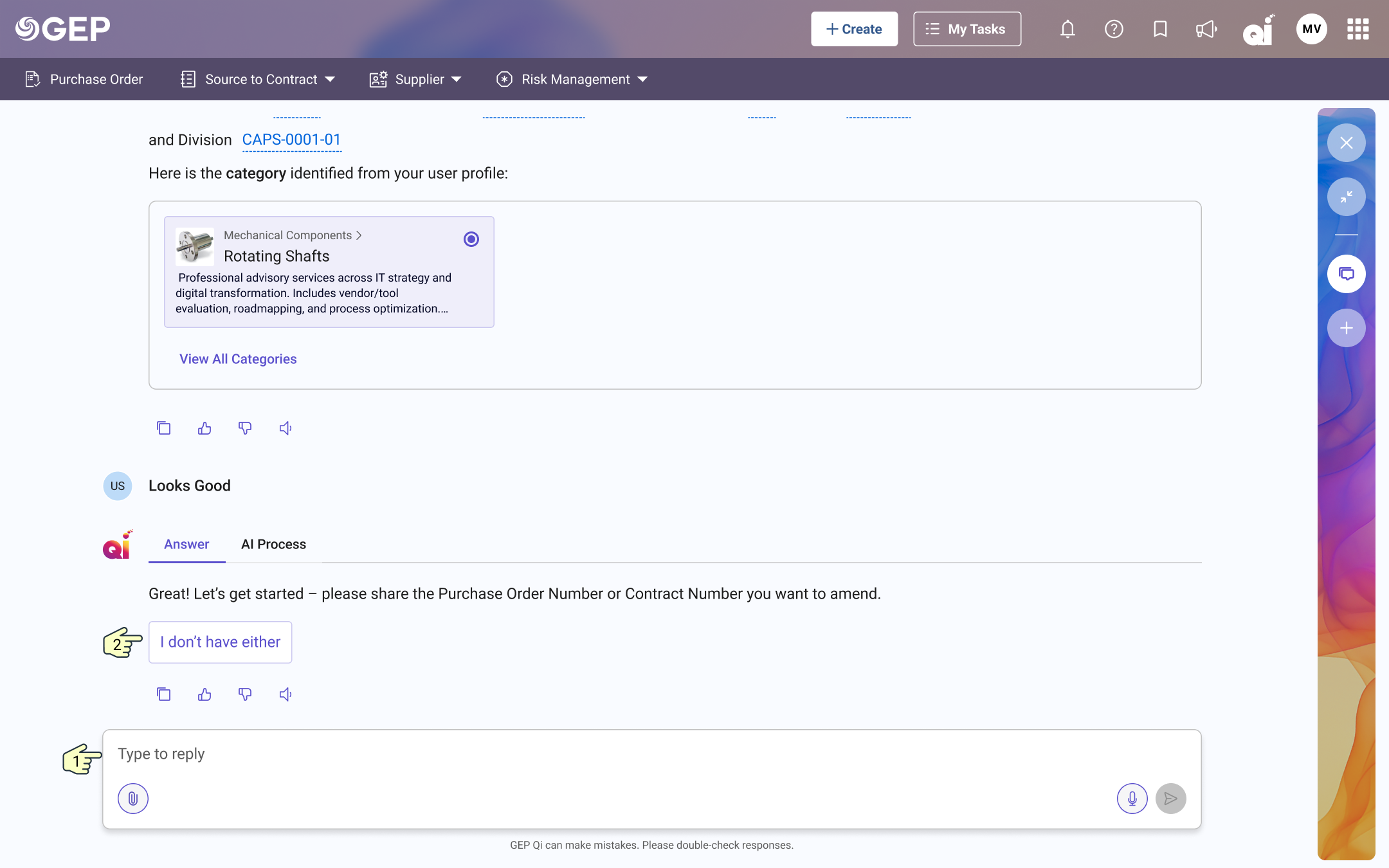
"I have the contract number"
Most commonThe user knows the contract but not which PO to amend. The AI retrieves the contract, finds associated POs, and lets the user pick.
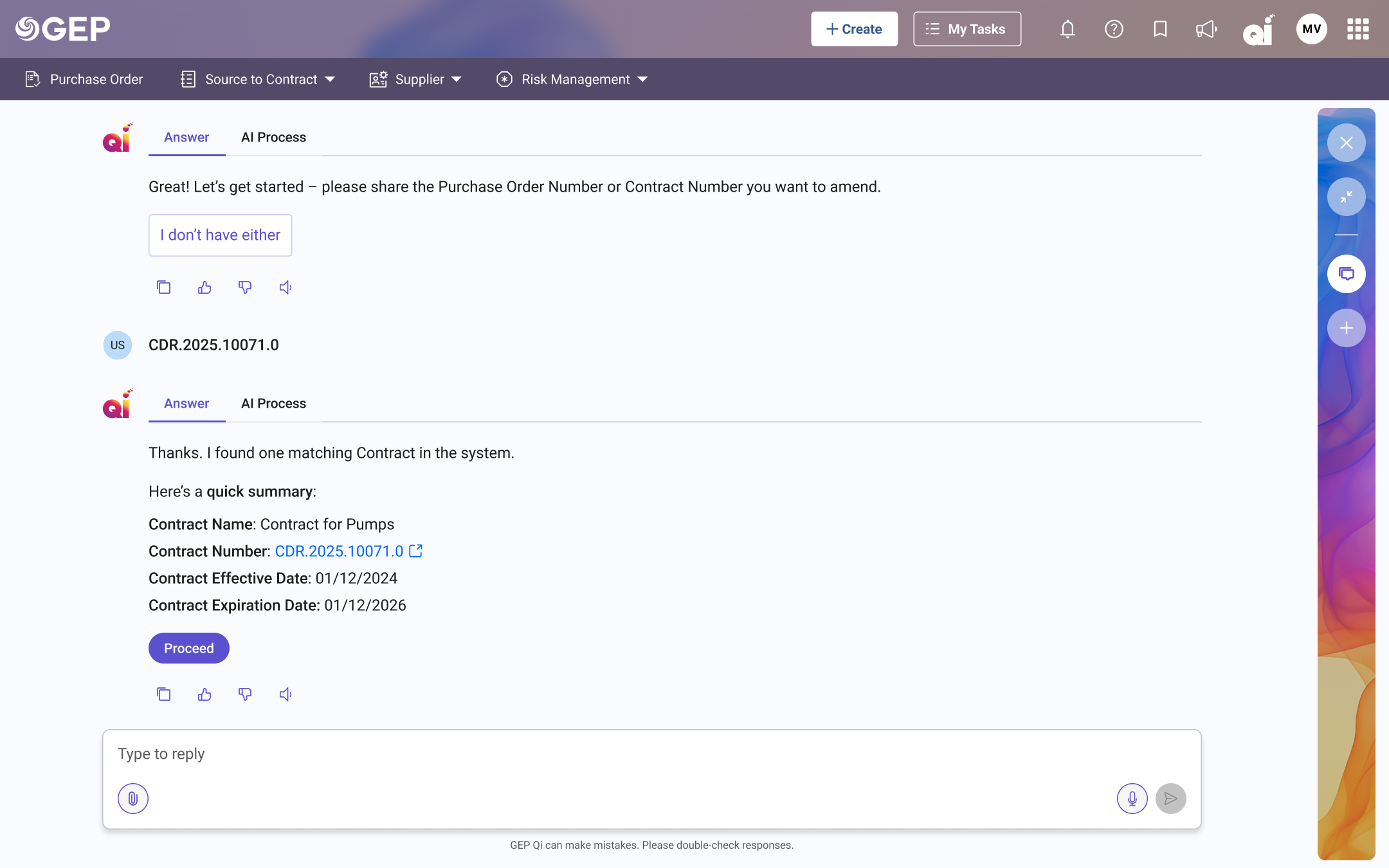
"I have the PO number"
Fastest pathThe user knows exactly which PO to change. The AI pulls it up immediately and asks what they want to modify.
"I don't have either"
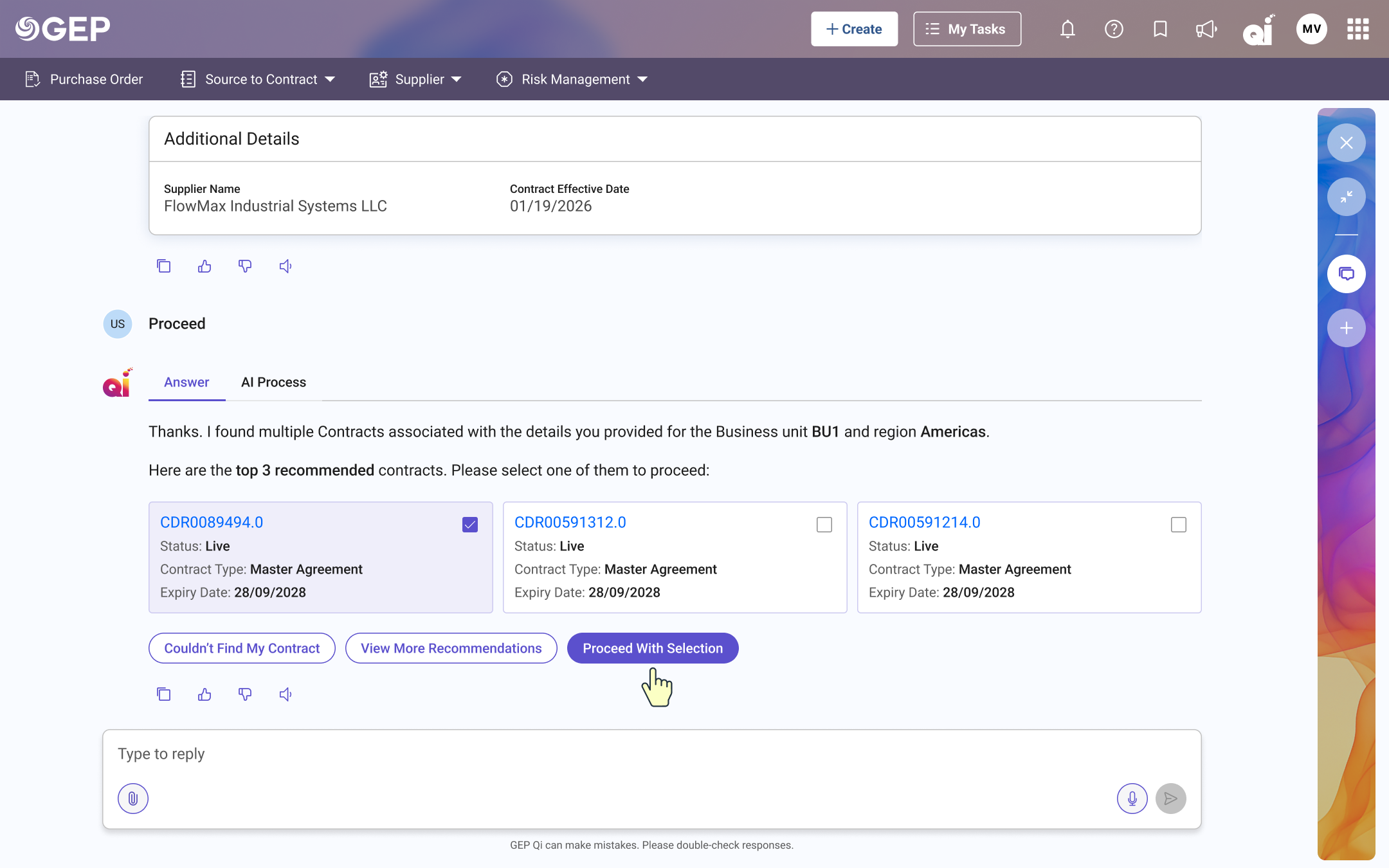
Most complexThe user doesn't have a reference number. The AI asks for key details (supplier name, contract date) and uses them to surface the top matching contracts. The user picks one, provides amendment details, and the request is created.
Designing for a conversation
This project was different from anything I'd designed before. The primary interface was a conversation, and conversations follow a different design grammar than traditional UI. There's no fixed layout. The content gets generated on the fly. The user's path through the experience depends entirely on what they say.
GEP Qi was still in its early stages when I started, which meant I was helping shape what AI-assisted procurement would feel like from the ground up.
Understanding the conversation map
Before any visual design, I mapped out every conversational branch. If the user says "I want to amend a PO," the AI needs to ask: do you have a PO number? If no, a contract number? If no, the AI collects supplier and contract details to find a match. Each answer creates a different path, and each path has to feel natural. I worked through 35+ screens of dialogue trees, edge cases, and fallback paths.
Designing the conversational UI patterns
Conversational AI needs more than chat bubbles. I designed a system of response patterns: text answers, inline forms embedded within the conversation, AI-recommended contract cards for users without a reference number, and action confirmations before submission. Each pattern had to work independently and flow naturally from one to the next.
Balancing guidance with autonomy
There's a fine line between an AI that guides you and one that decides for you. The design gives the AI enough intelligence to pre-fill forms and suggest next steps, but always surfaces a review moment before any action is taken. The AI proposes. The human decides.
Stakeholder alignment
Close collaboration with PMs who understood procurement end to end, cross-functional teams shaping the Qi platform's AI capabilities, and leadership who had a vision for where conversational AI fit in the product strategy. The transparency layer went through multiple iterations based on feedback about what felt trustworthy versus what felt like a black box.
A conversation that does the work for you
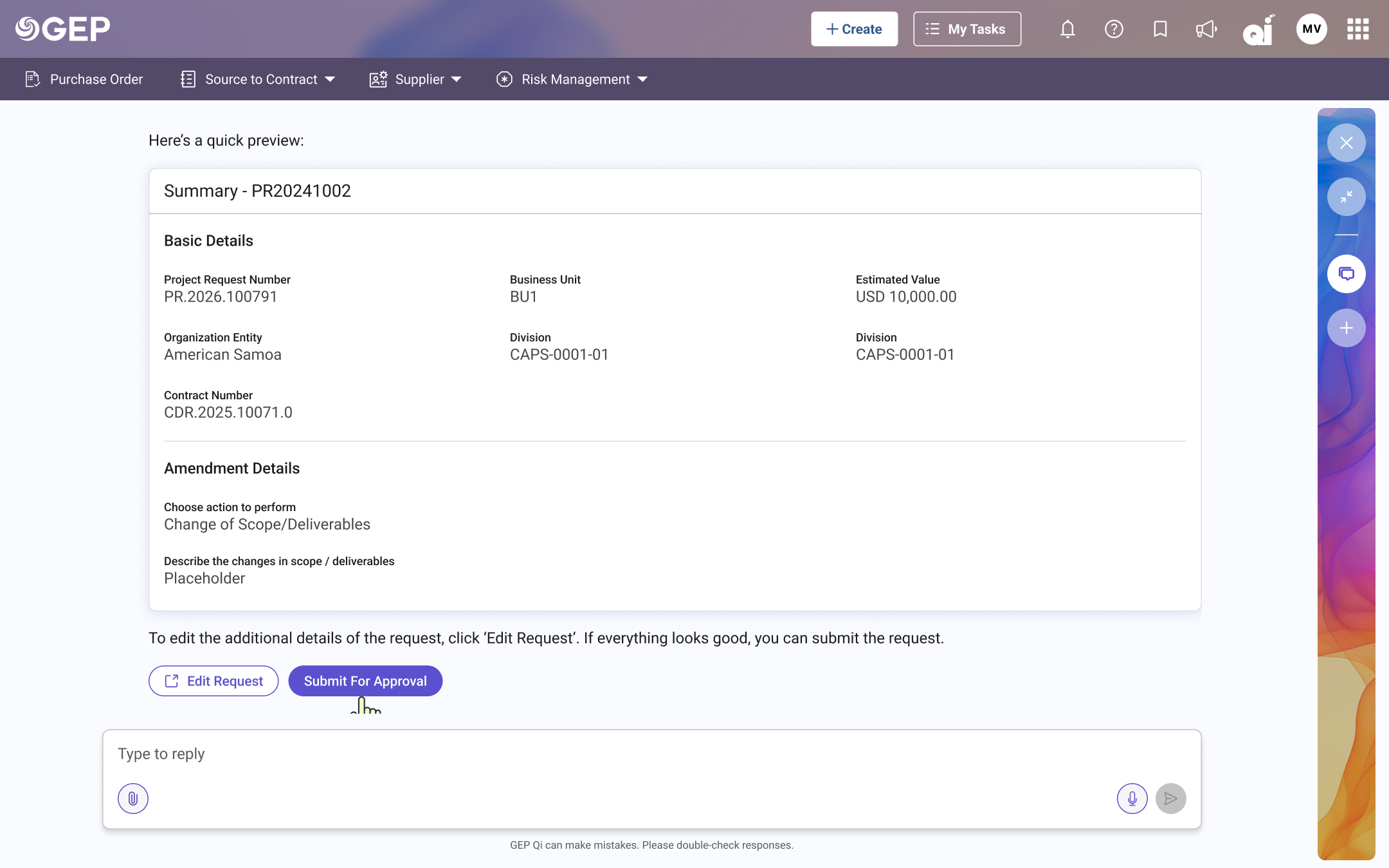
The final design is a conversational interface within GEP Qi that walks the user through a PO amendment from start to finish, regardless of where they start. It understands the task, gathers the information it needs, does the heavy lifting, and lets the user review and confirm.
→ PO #4500021783 · $128,400 · IT Services
→ PO #4500021791 · $47,200 · Cloud Infrastructure
Inline forms replace page navigation. Instead of redirecting to a separate amendment form, the form lives inside the conversation. The AI pre-fills what it can: current quantities, existing line items, contract references, and highlights the fields the user needs to update.
AI-recommended contracts when users have no reference. For the "I don't have a number" case, the AI collects just enough context — supplier name, contract date — and recommends the top matching contracts. The user picks one, describes the amendment, and proceeds. No system knowledge required.
From navigating the system to talking to it
across 3 conversational paths
into one conversation
before and after
In enterprise procurement, where every PO amendment carries financial and compliance weight, reducing a 7-step process to a single conversation changed how people related to the system entirely.
This work established a design pattern that extended beyond PO amendments. The interaction grammar became a template for other Qi workflows. One case study that shaped an entire product language.
What stayed with me
Designing this taught me that the conversation is the interface, so you end up designing a relationship more than a layout. The hardest question turned out to be about trust. Too little and users don't trust the output. Too much and you've replaced one kind of overload with another. The AI should observe intent, respond clearly, and step back. The AI is the collaborator. The human is the author.